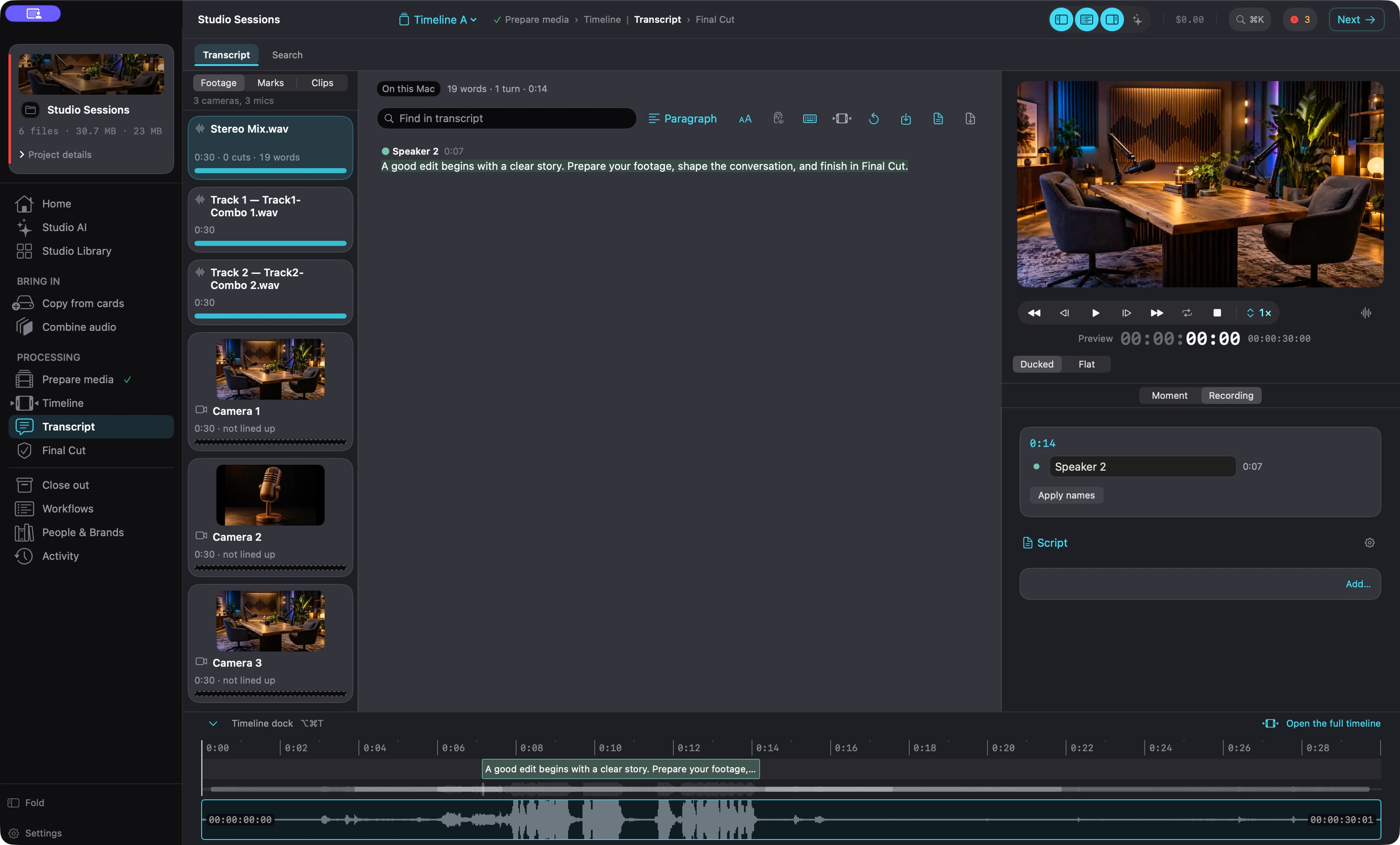
Built for beginners and pros. It does the setup work before you open Final Cut Pro (lining up cameras and audio, finding where a quote, infographic, overlay or B-roll would help, cleaning up the sound) and hands Final Cut Pro a prepared project. You finish the edit there and export from there.
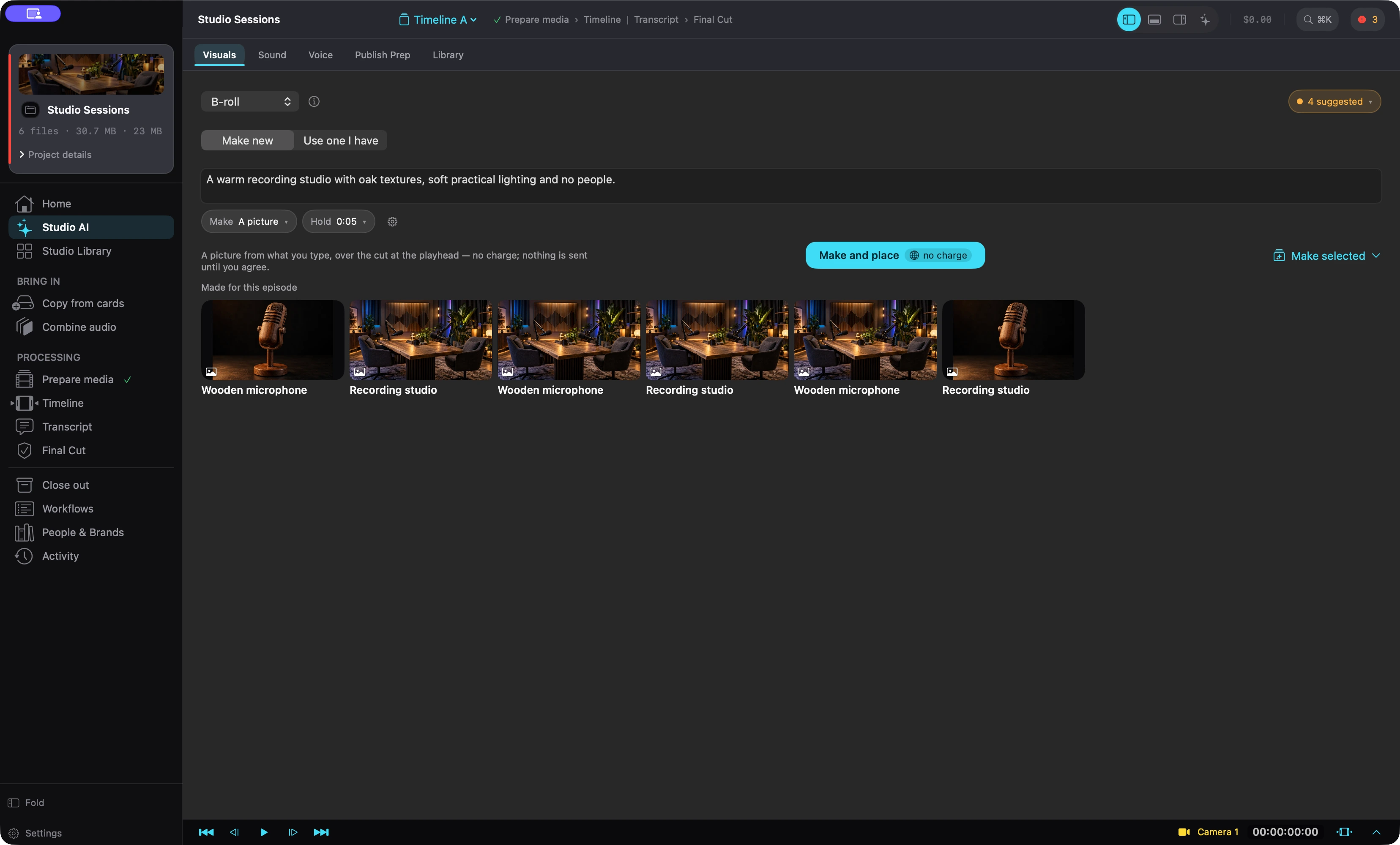
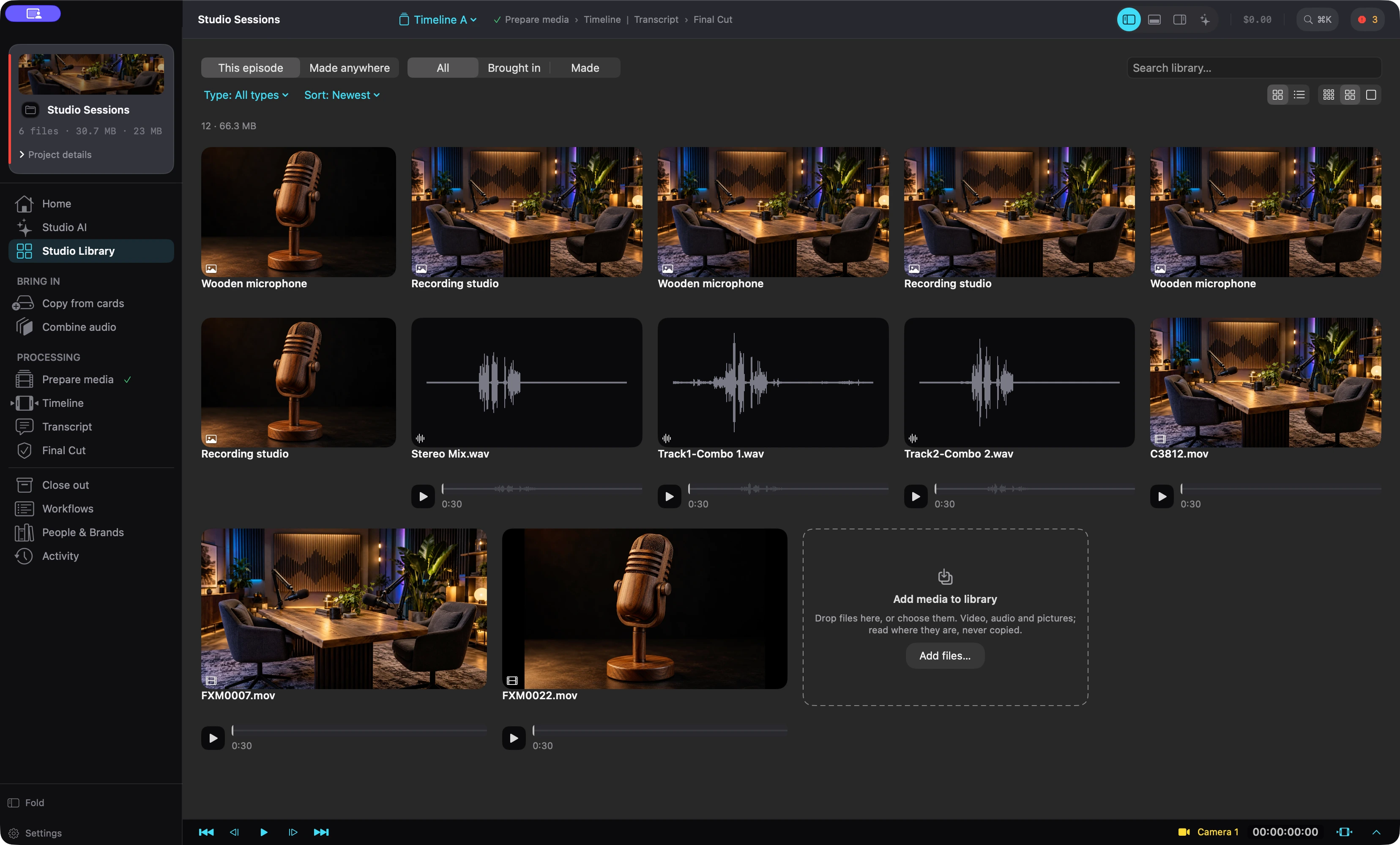
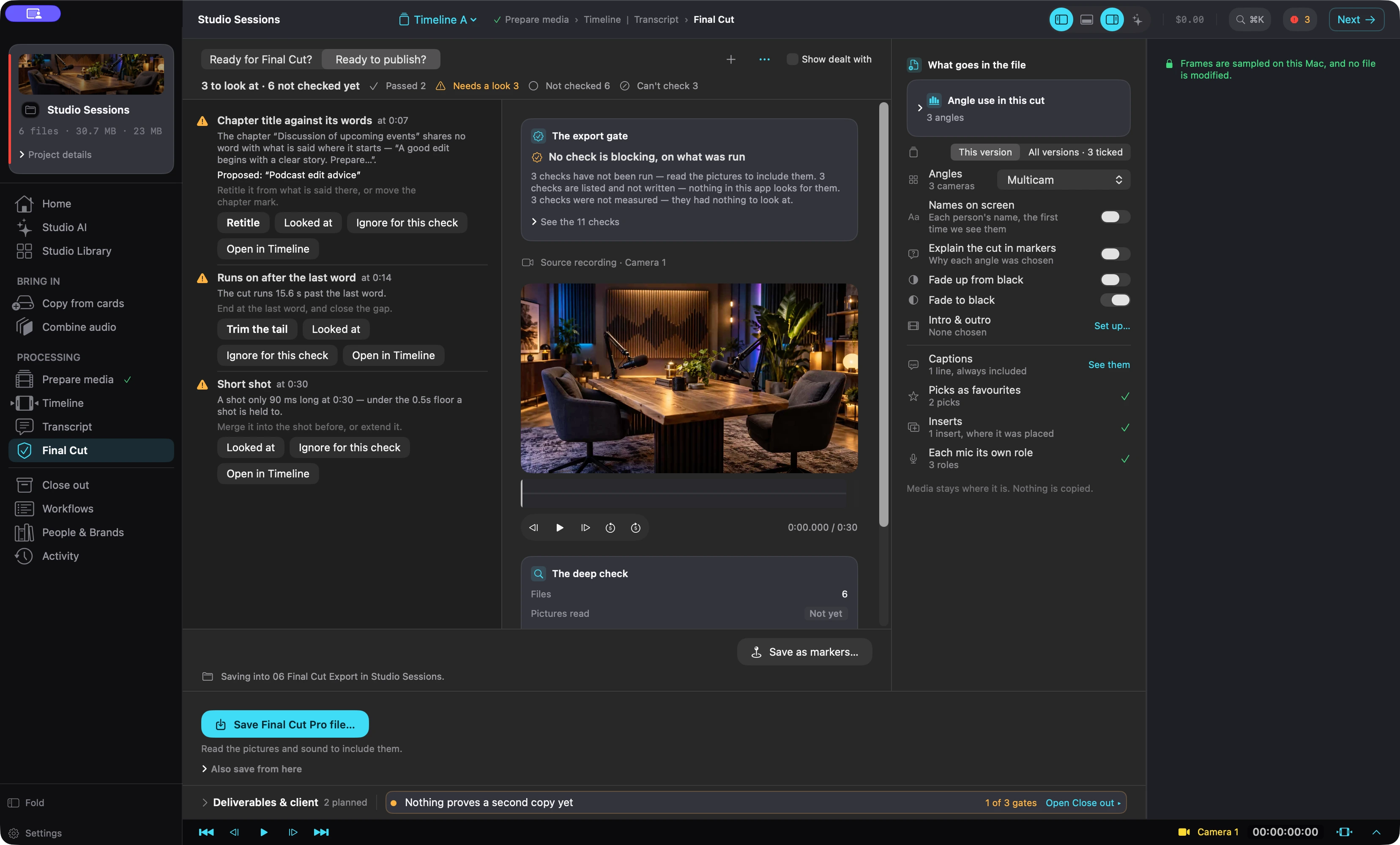
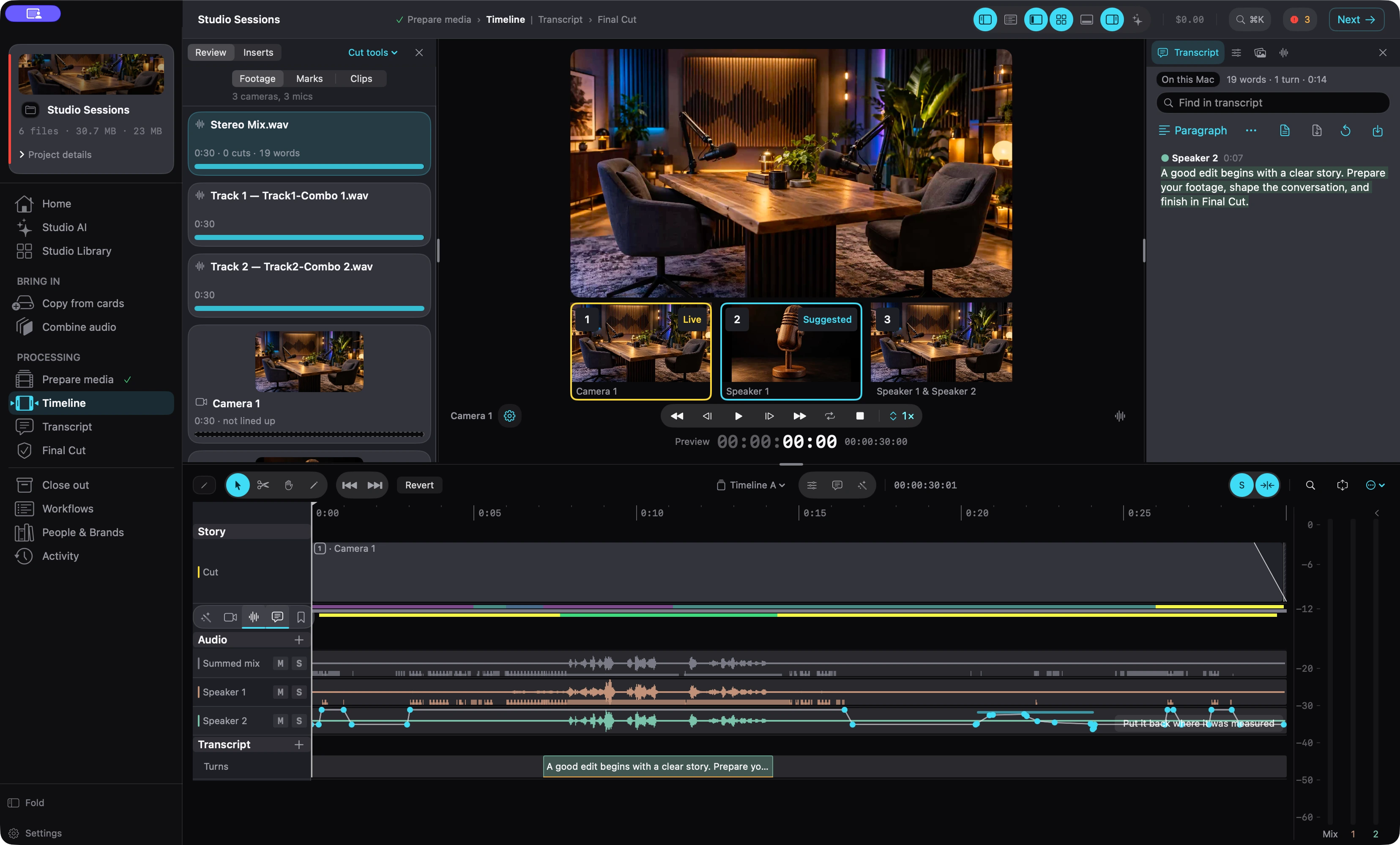
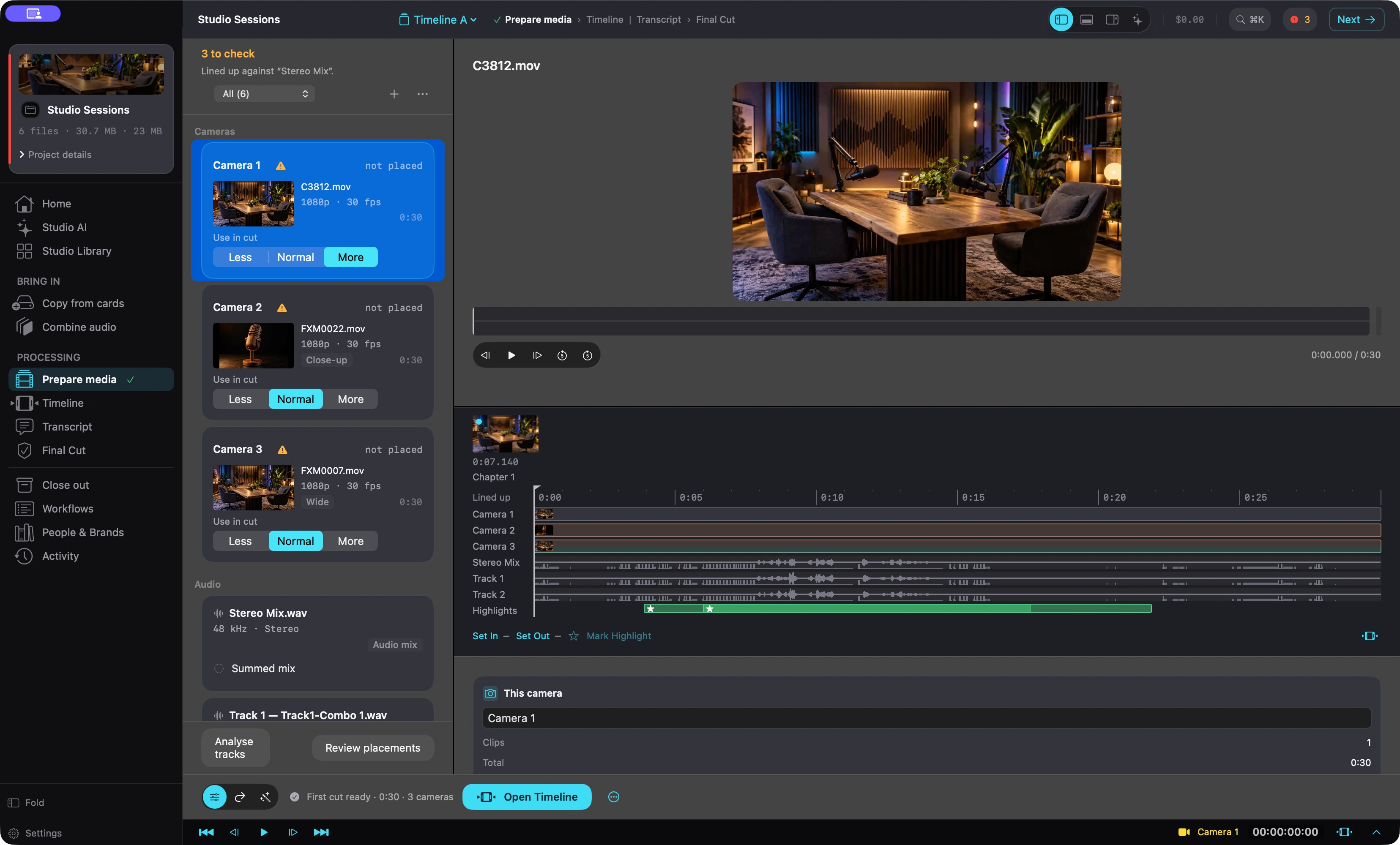
Real screenshots of the app, taken in a demo project. The studio footage is AI-made and has no people in it. Select a picture to see it full size.
What it does
Everything between the end of the shoot and opening Final Cut Pro
Copies your cards to two drives and checks every file matches.
Lines up every camera with your recorder's audio, and flags any it can't.
Suggests which camera to show, and why. You accept or reject each one.
Finds retakes, dead air and filler. You tick what comes out.
Finds where a quote, infographic, overlay or B-roll would help.
Cleans up room noise on your Mac, and you hear it first.
Transcribes on your Mac and labels speakers from separate microphone tracks.
Ranks the moments worth reusing for intros, trailers and short clips.
Picks thumbnail frames from your real footage and draws your title on them.
Drafts title, description and chapter options for you to choose from.
Hands Final Cut Pro a prepared project. Your original recordings stay untouched.
A Final Cut Pro extension sends timelines back and forth between the two apps.
Cloud AI tools are optional, priced before every run, and never on by default.
An assistant beside the timeline helps, through your own Claude Code or Codex account.
Honest about the job
What it is, and what it isn't
It doesn't replace Final Cut Pro. It does the work before the edit, then writes a project for Final Cut Pro that points at your original files. It has a timeline for checking the cut, not for finishing the edit. Final Cut Pro is the only editing app it prepares for.
1
Bring in your footage
Cards, camera files and recorder files from a podcast or interview.
2
Let it prepare
Sync, transcribe, suggest cuts and places for quotes, graphics and B-roll, clean the audio and draft the publishing text. You accept or reject each suggestion.
3
Finish in Final Cut Pro
Open the prepared project, finish the edit where you already do it, and export from there. Send timelines back and forth as you go.
Inside the app
The work, room by room
Sync and camera switching
Lines every camera up with the audio recorder by listening to both, and shows how confident each placement is. A camera it can't line up is shown as not placed, not guessed.
Labels who is speaking from separate microphone tracks.
Set each camera to appear less, normally or more.
Suggests camera switches in the cut style you pick, each with a reason.
Nothing it suggests changes your edit until you accept it.
Finds the places where a picture would help and proposes them on the timeline. Fill a gap from your own library, find stock, or make a quote card, infographic or clip with your own accounts. Each generated piece is priced before it runs.
Lower thirds name each speaker the first time they appear.
Intro and outro, joined by a cut, cross dissolve or fade through black.
Everything lands in Final Cut Pro as editable titles and clips.
What you bring in and what you make sit in one searchable library. Play a clip, a sound or a picture, then put it on the cut without hunting through folders.
Filter by this episode, what you brought in, or what you made.
Anything made keeps its source, its brief and what it cost.
Writes a Final Cut Pro project that points at your recordings where they already sit: the multicam clip, the cut angles, hidden ranges for what you removed, favorites, markers, captions and titles. Check what's ready, then finish the edit in Final Cut Pro and export from there.
A companion Final Cut Pro extension lets the two apps talk: send timelines back and forth between them.
It can create media for your cut and you drag and drop it into place.
It can look for places where AI-made media would cover the cut, and generate it, with the price shown first.
Keeps several versions of a cut, so you can try another edit and go back.
Copy a shoot off the cards to a working drive and a backup in one read, check every file on both, and only then call the card safe to erase.
Joins split recordings into one continuous audio file.
Sets up standard project folders. Every move can be taken back.
A close-out check that the project still matches its copies.
Cleaner audio
Removes room noise with Apple's own voice isolation. You listen to a before and after first, and the result is always a new file.
A strength slider blends the original back in.
Loudness and noise-floor readouts before and after.
An assistant beside the timeline
Ask what is in the recording, where the energy dips, or to tighten it to twenty minutes. It can read the project and propose changes, and changes to the cut ask first.
Works through your own Claude Code or Codex account, installed and signed in separately.
What you ask, and what it reads from your project to answer, goes to that provider.
Thumbnails, titles and chapters
Picks thumbnail frames from your real footage and drafts publishing text for you to choose from. Everything generated is labeled as generated.
Thumbnail suggestions are real frames from your recording.
Title, description, tags and chapter options to pick from.
Privacy and cost
Your footage, your say
Preparing your footage happens on your Mac. Online tools are optional, and each one shows what it would send before it runs.
Opted into per run
Never a remembered preference, so a forgotten setting can't spend money next week.
Priced before it happens
The estimate is on the button, and again in the confirmation, before anything is sent.
What leaves is named
The sheet says which files would be uploaded and how large they are, and tells sending a recording apart from sending text about one.
Syncing, transcription, cut suggestions, voice cleanup and thumbnail picking run on your Mac. Music, voiceover, dubbing, generated pictures and video use cloud accounts you add yourself.
Online tools use accounts you add yourself, with providers such as OpenAI, Anthropic, Gemini, ElevenLabs and Luma. What each can do, and what it costs, depends on the provider. Provider names only say what the app works with; they aren't endorsements.
The app checks for updates on its own, and downloads language files from Apple the first time you use a language. Some local features need a one-time system or model download.
The optional assistant works through your own Claude Code or Codex account. What you ask it, and what it reads from your project to answer, goes to that provider under your own sign-in.
A Mac with Apple silicon running macOS 26 or later. Final Cut Pro is optional but is what the app prepares for. Nothing else has to be installed for the core app. We recommend 16 GB of memory or more for ordinary projects, and 32 GB or more for heavy multicam work or the larger optional local models; those are recommendations, not tested minimums. The free on-device title writer needs a Mac with Apple Intelligence turned on; other writers are available.
No. It does the work before the edit: copying, syncing, transcribing, suggesting cuts, cleaning audio and drafting publishing text. Then it writes a project for Final Cut Pro that points at your original files.
Not by default. Syncing, transcription, cut suggestions, voice cleanup and thumbnail picking run on your Mac. Cloud AI features use your own provider accounts, show the price and what would be sent, and ask every time. The app also checks for updates on its own, and the optional assistant uses your own Claude Code or Codex sign-in.
Not for ordinary preparation on your Mac. Online tools use accounts you add yourself, and the provider's own charges and limits apply. The app doesn't include provider credits.
Speaker labels depend on separate microphone tracks. A single mixed track isn't labeled automatically.
It can write simple 1920 by 1080 MOV files and audio-only M4A files. Other sizes, crops and assembled highlight reels are finished in Final Cut Pro.
It is coming soon as a direct download for Mac, not through the Mac App Store. We haven't announced pricing yet. Add your email below and we'll tell you when it's ready.
It checks for new versions when you open it and once a day, and installs signed, Apple-notarized updates. You can also check by hand in Settings.
Coming soon
Hear when it's ready
Add your email and we'll let you know when Vision2Life Media Editor launches.




 (opens the full-size picture in a new tab)